Adopting ADS
Is ADS Right for Your Organisation?
Section titled “Is ADS Right for Your Organisation?”ADS is most useful when:
- Your organisation does not have an established SAD template, or the existing one is inconsistent, outdated, or not machine-readable
- You want architecture documents to be comparable across projects and teams
- You want to map documentation requirements to governance gates (e.g., design authority, ARB)
- You need to share architecture documents with vendors, partners, or auditors
If your organisation has a working template that teams are happy with, there is no urgency to switch. You can still use ADS ideas — documentation depths, compliance scoring, atomic fields — to improve your existing template without fully adopting the standard.
How Long Does It Take?
Section titled “How Long Does It Take?”With the templates, examples, and AI prompts:
| Depth | Typical Effort |
|---|---|
| Minimum SAD | 1–3 hours |
| Recommended SAD | 1–2 days drafting + review cycles |
| Comprehensive SAD | 1–2 weeks drafting + review cycles |
Most of that time is conversations with stakeholders and capturing decisions, not writing text. The template structure tells you exactly what to ask and of whom.
Rollout: Six Steps
Section titled “Rollout: Six Steps”Step 1: Run a Pilot
Section titled “Step 1: Run a Pilot”Pick one willing team and one real project. Do not mandate ADS across the organisation before you have a completed SAD in hand. The first SAD reveals how well the standard fits your context — tooling, governance gates, and terminology.
A good pilot has: a cooperative solution architect, a project in early design phase, and at least one upcoming review (ARB, design authority, or sprint review).
Step 2: Choose the Right Depth
Section titled “Step 2: Choose the Right Depth”Match depth to the project’s criticality:
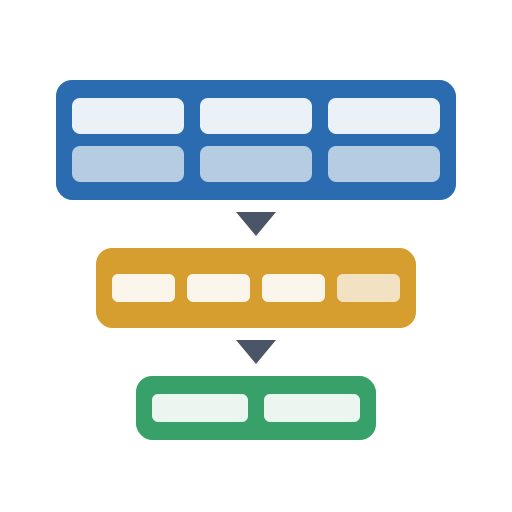
| ADS Depth | When to Use |
|---|---|
| Minimum | Early-stage designs, proofs of concept, dev/test reviews |
| Recommended | Production-bound designs requiring governance approval |
| Comprehensive | Critical, regulated, or enterprise-scale systems |
See the Depth Cheat Sheet for exactly what’s required at each level.
Step 3: Map to Your Governance Gates
Section titled “Step 3: Map to Your Governance Gates”Before the pilot SAD reaches review, agree with your governance forum (ARB, design authority, or equivalent) how the three depth levels map to their gates:
| ADS Depth | Typical Governance Gate |
|---|---|
| Minimum | Development / test review |
| Recommended | Production approval |
| Comprehensive | Enterprise or regulatory review |
Also define minimum acceptable compliance scores per section. A reasonable starting point: all sections ≥ 3 for production approval; ≥ 4 for Tier 1/2 critical systems. Publish your thresholds in your governance policy so architects know what’s expected before they submit.
Step 4: Customise for Your Organisation
Section titled “Step 4: Customise for Your Organisation”ADS is designed to be adopted without modification. However, organisations MAY extend it in the following ways:
- Organisation Profile — Map generic sections to your internal tools, standards, and governance processes using the
organisationProfilefield in the JSON Schema - Custom Sections — Add organisation-specific content using the
customSectionsextension point without modifying the core structure - Standards Traceability — Reference your internal design principles, patterns, and standards in Section 6.9 (Compliance Traceability)
- Governance Gate Mapping — Document which ADS depth level maps to which of your governance stages
Organisations SHALL NOT renumber core sections of the standard. Sections that are not applicable to a solution SHOULD be omitted entirely — do not fill them with “N/A”.
Step 5: Onboard Your Architects
Section titled “Step 5: Onboard Your Architects”For architects new to the standard:
- Quickstart — a first SAD in 30 minutes
- Depth Cheat Sheet — a single-page reference for drafting
- AI Prompts Library — ready-to-use prompts for drafting, reviewing, and scoring SADs
- Completed examples — worked examples across different project types to calibrate expectations
A well-written SAD is typically 20% writing and 80% capturing decisions from stakeholders. The template structure helps architects ask the right questions at the right time.
Step 6: Measure and Iterate
Section titled “Step 6: Measure and Iterate”After the pilot, score the SAD using the 0–5 compliance scoring rubric. Use the scores to:
- Identify which sections consistently need more attention across your portfolio
- Set and refine thresholds for governance gate approval
- Track documentation maturity over time as the standard embeds in your practice
Sections scoring below 3 on any submission SHOULD trigger a remediation plan with clear ownership and timelines.
Common Questions
Section titled “Common Questions”Do I have to fill in every section?
Section titled “Do I have to fill in every section?”No. Fill in only the sections required for your chosen depth. See the Depth Cheat Sheet for the complete list.
What if a section doesn’t apply to the solution?
Section titled “What if a section doesn’t apply to the solution?”Omit it entirely. Empty sections filled with “N/A” waste reviewers’ time. If you’ve actively decided not to address something, capture that decision in Guardrail Exceptions (Section 6.7) or as an Architecture Decision Record.
Can I add organisation-specific sections?
Section titled “Can I add organisation-specific sections?”Yes. Use the customSections extension point in the JSON Schema, or add new Markdown sections for your organisation’s specific needs. ADS is designed to be extended, not forked.
Can I modify the core standard itself?
Section titled “Can I modify the core standard itself?”You can adapt it under the CC BY 4.0 licence. If your change would be useful to others, consider contributing it back via a pull request.
How does ADS work with our ARB?
Section titled “How does ADS work with our ARB?”ADS provides a consistent structure and vocabulary for review. The 0–5 compliance scoring gives reviewers a common scale. The depth levels let reviewers calibrate expectations to the solution’s criticality. See the Reviewer Perspectives guide for what different reviewers look for in a SAD.
Can I reuse a SAD for a similar future solution?
Section titled “Can I reuse a SAD for a similar future solution?”Yes, and you should. Copy the SAD, update the metadata, and adapt the content. The structural consistency across SADs is one of the main adoption benefits — common patterns become visible across the portfolio.